Mantex

Tutorials, Study Guides & More

  • HOME
  • REVIEWS
  • TUTORIALS
  • HOW-TO
  • CONTACT
>> Home / Archives for 2009

Archives for 2009

How to Write Critical Essays

July 14, 2009 by Roy Johnson

advice on writing academic essays – from start to finish

David Pirie’s sub-title here is ‘a guide for students of literature’ – but his advice will be useful for anybody in the arts or humanities. What he offers is to talk you through the process, from understanding the question to producing and submitting the final draft. He adopts a very sensible approach, and the advice he offers is timeless. The essay as an academic exercise has endured because it is both a form of intellectual self-discovery and a flexible yet taxing means of assessment. He starts with analysing and understanding questions, then organising the ‘research’ for your answer – including detailed advice on taking notes. All this quickly becomes an introduction to literary criticism.
How to Write Critical EssaysHis chapter on devising a suitable structure for an essay explores the standard approaches to this task. These are discussing the arguments for and against a proposition; following the chronological order of events; and constructing a logical sequence of topics. I think a few more concrete examples would have been helpful here. The chapter on how to make a detailed case is more useful, precisely because he examines a series of concrete examples, showing how to quote and examine selected passages. The same is true of his chapter on style, where he illustrates his warnings against repetition, vagueness, generalisation, plagiarism, and overstatement.

There’s something eloquent yet curiously old-fashioned about his prose style. The voice is like an audio recording of someone speaking to us from an earlier age. And he uses phrases which flatter his readers. He talks about students ‘writing criticism’ – as if their coursework exercises were about to be published.

It’s a shame there is no bibliography or index. These are omissions which should be rectified if the book ever makes its long-overdue second edition.

© Roy Johnson 2005

How to Write Critical Essays   Buy the book at Amazon UK

How to Write Critical Essays   Buy the book at Amazon US


David Pirie, How to Write Critical Essays: a guide for students of literature, London: Routledge, 1985, pp.139, ISBN: 0415045339


More on study skills
More on writing skills
More on online learning

Filed Under: Study skills, Writing Skills Tagged With: Academic writing, How to Write Critical Essays, Literary studies, Term papers, Writing Essays, Writing skills

How to write scientific reports

September 16, 2009 by Roy Johnson

conventions, structure, and form of reports

What are scientific reports?

Introduction

The purpose of this guidance note is to explain the criteria for assessment of English language skills in a written report.

1) It outlines the criteria of assessment
2) It summarises what a report is expected to contain
3) It comments on how you can help the reader

1. Criteria for assessment
  1. Communicative quality: is it easy to read?
  2. Ideas and organisation: is the information appropriate and clearly organised?
  3. Grammar and vocabulary: is there a good range of language used so that the meaning is clear and the text is not repetitive?
  4. Surface features: is the punctuation and spelling accurate?
2. What are scientific reports expected to contain

This section looks at the contents of the report structure, and presentation.

Structure

The structure of a report will normally consist of the following items as
a minimum:

  • title
  • authors
  • abstract
  • summary
  • table of contents
  • body of report
  • conclusion
  • references

You need to adjust these sections to suit the purpose of the report. But
each section has a particular role, as follows.

The title – tells the reader directly and at first glance what it is that you are discussing.

The abstract or summary and table of contents – gives the reader an overview of the report and a list of section headings. From these, they can see the points included and decide which ones to look at.

The body – consists of the introduction and component sections.

The introduction should state the purpose of the report and show that you are aware of its terms of reference. That is, you should say what the subject is, and what is its purpose. You should also state any method(s) used and any limitations, and finally indicate how the report is structured. It is important to justify, or say why you are writing the report. You should also give the reader a mind map of what is coming.

Sections of the report should be organised under headings. This forces you to classify information and helps you to remain relevant – in case you are likely to wander off the point.

The conclusion – starts by referring back to the purpose of the report, states the main points arising, draws conclusions, and possibly makes recommendations.

References and appendices. These list the material referred to in your work. Follow any guidelines on format for presentation of references. Appendices provide additional material not included in the text.

Layout and presentation

Layout and presentation involves matters ranging from clear title and section headings, to accurate spelling and punctuation. You must think of your reader. Presenting accurate text is equivalent to speaking clearly. Since you are not around to explain any problems to your reader, editing and checking your text is extremely important.


Scientific reportsJudith Bell, Doing Your Research Project: A Guide for First-Time Researchers in Education and Social Science, Buckingham: Open University Press (2nd edn) 1993, pp.176. Best-selling UK guide which covers planning and record-keeping, interviewing, reviewing ‘the literature’ of your topic, designing questionnaires, interpreting evidence, and presenting the findings. Each chapter has a summary checklist and its own suggestions for further reading. There’s also a full bibliography and index.
Buy the book from Amazon UK
Buy the book from Amazon US


3. How can you help the reader?

Apart from the points raised above about structure, layout, and presentation, the main tool you have is obviously the language. There are two main points to make: the first is about what we call “signposts”, the second about style.

Signposts

Apart from section headings, you can select language which gives your reader signposts to what you are trying to explain. Signposting helps the person read the text quickly by highlighting the main points and the logic of the argument or discussion. Some examples follow.

1. The first section of your report could start with “The aim of this report…” or “The aim of this project…”

2. Within the first section, the stages could be introduced with “The first stage is…”, “The second stage…”, “This section deals with…”.

3. When you want to give an opinion or evaluate something, you might signpost with “The problem with this is…”, “What is significant about this is…”, “It is important to remember that…”

4. To show that you are drawing a conclusion, introduce the point with “This means that…”, “The result shows that…”, “It is likely that…”

Style

Style means the tone of language you use to address the reader. There are three points to make. You should avoid repetition, avoid a narrative style, and avoid vague language.

Repeat only what is necessary. That is, key words or technical terms. The reader has a memory. To flatter this, you can introduce your repeated point with words like “As mentioned earlier…”, “As discussed above…”

Although it is acceptable to use “I” or “we” in a report, too many sentences with “I” and “we” become repetitive. Avoid: “I had to…” Use: “It was necessary to…”

The reader does not wish to know about everything that happened, but rather your objective assessment of the situation. Avoid: “First we discussed…then we decided…” Use: “The first step was to discuss…It was decided…”

Be precise and be specific. Avoid: “There was a problem so we…” Use: “A problem arose with … which meant it was necessary to…”

Conclusion and recommendations

Read over what you have written and check it against the guidelines. Pay particular attention to punctuation and spelling.

With thanks to Esther Daborn

© Roy Johnson 2004


More on How-To
More on literary studies
More on writing skills


Filed Under: How-to guides, Study Skills Tagged With: Business, Communication, Report writing, Research, Scientific reports, Writing skills

How to zip and unzip files

September 15, 2009 by Roy Johnson

what to do with compressed files

Zip files

redbtn Some files are compressed to make them smaller.
redbtn This process is also known as ‘zipping’ the files.

redbtn It also makes them quicker to download.

redbtn You can also zip up a number of different files into one – which is called an ‘archive’.

Zip Utilities

1. To deal with zipped files, you need a special program called a ‘utility’.

2. Two of the best known are UltimateZip and WinZip

3. They are often available free on magazine cover disks.

4. Alternatively, you can download from a free software site.

5. Go to tucows for instance. Look for ‘Compression Utilities’.

6. I use UltimateZip, which is free.

Downloading

1. Zipped files will have a .zip filename extension.

2. Click on the item you want to download.

3. Your browser will open a dialogue box.

4. You should then save the file – for example

C:TEMPfilename.zip

5. This puts the file into a folder called TEMP.


Unzipping files

1. Start up your zip utility program.

2. Choose FILEOPEN, and locate your zipped file.

3. In our example it’s C:TEMPfilename.zip

4. Choose EXTRACT FILES from the menu bar.

5. Extract files to C:SOMENAME

6. It all happens very quickly!

7. Then open a program which will read your files.

8. This could be a web browser for .htm files.

9. It could be MS Word for .doc files.

10. Don’t worry if anything goes wrong…just repeat the steps above.

Zipping files

1. First put your file(s) into a folder.

C:DEMO file-01.htm
file-02.htm
file-03.htm

2. This collection is sometimes called an ‘archive’.

3. Start up your zip utility program.

4. Select FILE/NEW – or FILE/New Archive.

5. Create a name for your zipped files.

newfiles.zip

6. Decide where to save your zipped files.

7. You can create a new folder, or use the existing.

C:DEMO

8. Then select and add all the files you wish to place in the zipped archive.

9. Press OK – and newfiles.zip is created.

10. The originals – file-01.htm, file-02.htm, and file-03.htm – are still in their folder C:DEMO

11. But you also have a copy of them, compressed into newfiles.zip

12. Have fun!

© Roy Johnson 2004


More on How-To
More on literary studies
More on writing skills


Filed Under: How-to guides Tagged With: archive files, compression, Computers, Study skills, Technology, unzipping, zipped files, zipping, zips

How We Write

July 17, 2009 by Roy Johnson

a study of the creative process

If you are interested in the process of writing – the means by which we think of ideas, translate them into words, and record them as text – then this is a book you will not want to miss. Mike Sharples deals with some of the central paradoxes in this most intellectualised form of culture. For instance, he considers how writing is a demanding mental activity, yet some people appear to write easily; how it demands the constraints of grammar, yet creative writers break these rules; how most writing involves planning, yet it also makes use of ‘inspiration’ and chance discovery in the process of composition.

How We WriteThese are conundrums to which he offers interesting solutions, based upon the central notion of the writer as a ‘creative designer’. He starts with the ways in which ideas and narratives are conceptualized before they are committed to paper. Then he pursues the notion of creativity acting to produce results which are intelligible and acceptable, because they are enacted within a series of cultural constraints. The very encouraging part of this analysis is that as he points out, creativity is not something rare, but is quite normal. There are qualitative differences in the results, to be sure, but most ordinary people can come up with ideas, given a problem.

Next he deals with ‘Writing as design’ – which considers the physical context in which writing takes place, with some interesting comparisons between writing and and architectural design. He writes eloquently on the psychological pleasures of writing with a pencil – then goes on to compare the advantages of writing using different media – including word-processors.

Given that he obviously wishes to get close to the writing process, it’s slightly surprising that he doesn’t examine author’s notebooks, manuscripts and revisions. There are plenty of examples (Henry James, Virginia Woolf) where we can get fairly close to the creative process – though he does at one point look at some of Wordsworth’s drafts of his poetry.

He identifies three activities as essential to the writing process – planning, composing, and revising. Not surprisingly, as an academic he is a firm believer in planning, and he describes the advantages and shortcomings of lists, mind mapping, and outlining:

A draft text is itself a plan for further writing and…composing a free and unconstrained draft and then organising this into a more coherent text is one successful approach to writing.

On the process of composition he makes a brave attempt to deal with what constitutes good style, and practitioners of creative writing will be interested in what he says about how narratives are structured and developed. Dealing with the revision process, he encouragingly points out that writers are privileged in being able to revise their products so easily – unlike architects and sculptors for instance – and the advent of the word processor has made this process very easy indeed.

He also observes that experienced writers usually revise their work at a structural as well as a surface level – whereas the less experienced merely make changes at word and sentence level.

There are some interesting tips on making this process of revision easier – to which I would have added the best advice I have come across – edit in separate passes through the text for different purposes – because it’s less tiring than trying to keep several issues in mind at once.

The various strategies of creative writing are discussed using the metaphors of planning, building, discovering, and exploring. These analogies are thought-provoking, but it is quotations from practising writers which bring the arguments to life. This actually becomes a consideration of the psychology of writing, and the often pathological connection between creativity and depression, anxiety, and even suicide.

Next he deals with what he calls the materiality of the text – how it is printed and laid out. This involves choice of typeface, use of space, page layout, text decoration, and all the other aspects of what is printed and how it affects our interpretation of what we read.

This is a quasi-marxist form of interpretation which considers the relationship between writing and the society in which it is produced and read. He invokes the Russian formalist Bahktin and post-Structuralist literary theorists to argue that texts may not have fixed meanings, and that writers negotiate (even if unconsciously) with the cultural and moral frameworks of the societies in which they live.

A penultimate chapter on the various forms of collaborative writing will be of interest to those concerned with scientific writing – one of the few areas in which it is still regularly practised. And he ends, logically enough, with the new possibilities opened up by the digitization of text and electronic writing. Apart from writing for the Web, this involves the possibilities of hypertext fiction, writing in MOOs, and voice recognition as possible spurs to creativity.

The writing is fluent and accessible throughout. This is a humane and thought-provoking book which operates successfully at a number of levels. It offers wise counsel to aspiring writers; fresh approaches to the more experienced; and even new paths to be explored for those in academic research studying the relationship between thinking and its presentation as the written word.

© Roy Johnson 2002

Buy the book at Amazon UK

Buy the book at Amazon US


Mike Sharples, How We Write: Writing as creative design, London: Routledge, 1999, pp.224, ISBN: 0415185874


More on digital media
More on theory
More on typography


Filed Under: Theory Tagged With: How We Write, Psychology, Writing, Writing skills, Writing Theory

Howard Hodgkin

June 4, 2009 by Roy Johnson

illustrated critical survey of contemporary masterworks

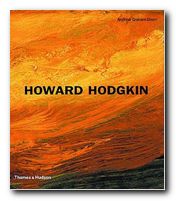
I’ve been a long time fan of the work of Howard Hodgkin. (So much so that I opened a gallery devoted to his work here.) He has a great sense of form, uses luscious colours, and produces semi-abstracted compositions which are like rich food for the visual sense. The problem in interpreting his work is that there’s a tension between the degree of abstraction of the image and its ostensible subject, usually stated in its title. Hodgkin claims that he is a ‘realist’ painter, but it’s sometimes difficult to understand how a couple of deep blue brush strokes across the centre of a green stippled canvas whose frame is dripping in blood red gloss represents ‘An Evening with Kevin’.

Howard HodgkinAndrew Graham-Dixon’s study is an attempt to solve this problem. He presents a historical survey of Hodgkin’s work which is beautifully illustrated in the full colour it deserves. It’s an approach to art criticism which is well informed (in biographical terms) which pays attention to the details of what appears on the canvas, and yet which seems to stop short of interpretation.

He does his best to make the case for representation by suggesting that Hodgkin paints memories, feelings, and moods; but when it comes to evaluating individual works he hides behind a smokescreen of supposition and conditionality. His argument goes something like this, in

this painting may have some connection with … it recalls someone else … it might have affinity with …. it can also evoke …and it might be said to represent something …

He describes almost every brush stroke in gushing prose, but he hasn’t got any hard evidence to offer. And whilst he’s getting his critical knickers in a twist, he doesn’t address glaringly obvious issues such as the fact that Hodgkin paints over the frames of his pictures. Why does he do that? What’s the significance of such a bold gesture?

It’s interesting to note that after running out of meaningful things to say about the paintings, he’s quite prepared to go on talking about their titles. And in the end, this might be the problem.

If a glamorous canvas of deep greens splashed against a black border, with red and yellow dots in the background were called Composition #9 there might be less fuss than if it were given the title In the bedroom . Andrew Graham-Dixon would be less preciously strangulated, and we could just enjoy some more coloured paint on canvas.

Howard Hodgkin

In bed in Venice

But Hodgkin does give his paintings apparently descriptive titles – such as Nick 1977 which looks like two windows covered by Venetian blinds, You Again 2001 which is three interlocking pyramids, and Learning About Russian Music 1999 in which a red and ochre frame surrounds blue, green, and brown brush strokes. So the problem remains.

There is the merest smidgeon of representation still present in his work, but the acid test would be guess the subject if the paintings were not captioned. I doubt if Andrew Graham-Dixon or anyone else could do it.

Fortunately, I don’t think it matters in the end. Personally, I am quite happy to accept Hodgkin as a quasi-abstract painter whose sense of colour is simply ravishing. The reproductions of the paintings here are excellent, and this is a good-value survey of them.

© Roy Johnson 2005

Howard Hodgkin Buy the book at Amazon UK

Howard Hodgkin Buy the book at Amazon US


Andrew Graham-Dixon, Howard Hodgkin, London: Thames and Hudson, (revised and expanded edition) 2001, pp.232, ISBN 0500092982


More on art
More on media
More on design


Filed Under: Art Tagged With: Art, Art criticism, Howard Hodgkin, Painting, Theory

HTML and XHTML

July 11, 2009 by Roy Johnson

the encyclopaedia of HTML coding – and the latest XHTML

The problem with HTML is that just when you thought you had grasped the basics of web page design, something new emerges. Here comes the latest development – XHTML – which stands for ‘extensible hypertext markup language’. Musciano and Kennedy aim to keep you up to date with these latest developments. So – what are they? XHTML is an extension to the HTML code – at 4.01 in its present version. It is in fact a part of the XML code – and XML is itself a subset of the general Standard General Markup Language (SGML). Still confused? The authors have already guessed that, and in HTML and XHTML they do their best to explain.

HTML and XHTMLWhat they do in this excellent manual is cover every element of HTML/XHTML in detail, explaining how each element works and how it interacts with other elements. Many hints about HTML/XHTML style help you write documents ranging from simple online documentation to complex presentations. With hundreds of examples, the book gives you models for writing your own effective web pages and for mastering advanced features like style sheets and frames.

When HTML was originally conceived, no one had any idea it would be so successful or be asked to handle so many kinds of documents, browsers, and media. While it has borne up admirably under the demands of web users, HTML 4.0 has stretched as far as it can to accommodate new technology. While HTML 4.0 is petering out, XHTML 1.0 stands ready to step in, designed to handle almost anything web authors can dream up.

There are in fact three possibilities for XHTML – the ‘strict’ version which is limited but future-proof; the ‘transitional’ version which allows authors to write with current browsers in mind; and a third version which deals with frames. The reassuring news they offer is that “learning HTML is still the way to go for most authors and Web developers” – but they do remind readers that “content is paramount; appearance is secondary”.

They also warn that “writing XHTML documents requires much more discipline and attention to detail than even the most fastidious HTML author ever dreamed necessary.” This sounds a bit frightening – but really, it just means being extra careful with coding. It means that all tags must be opened, then closed. No more leaving out those </P> paragraph tags.

And the beauty of this book is that all the basic HTML coding is covered in the great detail which has been generated over its earlier editions. They deal with forms, frames, tables, and even Java scripts, and all the tutorial material is fully illustrated, with plenty of screenshots and understandable code.

All the really useful appendices are there too – HTML grammar, Cascading Style Sheets, the HTML and XHTML document definitions, character entities, color names and values, and of course a complete list of XHTML tags with browser compatibility notes.

If you want the very best reference manual to HTML and its latest developments – this is it. I guarantee that no matter which other web page design books you might have on your shelves, this is the one to which you will keep coming back – again and again.

© Roy Johnson 2006

Buy the book at Amazon UK

Buy the book at Amazon US


Chuck Musciano & Bill Kennedy, HTML& XHTML: The Definitive Guide 6th edition, Sebastopol (CA): O’Reilly, 2006, pp.654, ISBN: 0596527322


More on technology
More on digital media
More on web design
More on computers


Filed Under: HTML-XML-CSS Tagged With: Computers, HTML-XML-CSS, Technology, Web design

HTML Tutorial 01 – contents page

November 22, 2009 by Roy Johnson

• HTML – made simple

• HTML – page template

• HTML – common tags

• HTML – common problems

• HTML – adding colour

• HTML – page anatomy

• HTML – questions of taste

• HTML – text & graphics

• HTML – adding tables

© Roy Johnson 2002


Filed Under: How-to guides, Study Skills Tagged With: Coding, HTML, HTML tutorial, Technology, Web design

HTML Tutorial 02 – code made simple

November 22, 2009 by Roy Johnson

1. You can produce web pages using a simple word processor such as Windows NotePad or WordPad. The files you produce should be saved with an .htm extension.

2. The files can contain text, colour, and pictures [even sounds] – but they also contains HTML code.

3. HyperText Markup Language (HTML) uses ‘tags’ to send instructions to a web browser that will ‘read’ the web page. The browser then arranges the appearance of the text on screen.

4. The tags are a code which is placed between angled brackets – <H1> Here is a level one Heading </H1>.

5. Note that the tags are placed around any text you wish to affect. They commonly begin with one tag <H1>, and then they are switched off with another, </H1>, which contains an olbique stroke.

6. <H1>Heading</H1> – shows headings raging from big and bold at size 1 – to 6 – which is quite small.

7. You can also change the size of text on the page from 1 to 6 by enclosing the text between FONT SIZE tags

<FONT SIZE=”4″>produce text size four</FONT>

8. Notice that in this case the numbers 1 to 6 range from small to large.

9. Browsers show text at SIZE=”3″ unless told to do otherwise.

10. You can also change the colour of the text on the page – but note that the tag requires the US spelling of COLOR.

11. The text between the tags will appear in colour:

<FONT COLOR=”RED”>some text in red</FONT>

12. The <P> tag inserts a double space to start a new paragraph.

<P>
Here is the text of one paragraph, which is shown to illustrate the use of the paragraph tag.
</P>
<P>
And this is the start of the following paragraph, which as you can see has been separated from the first with a space.
</P>

13. The <BR> tag forces text to start on the next line down.

Here is a short statement.<BR>
The tag has been used to force the next sentence to begin on a new line.

14. The <HR SIZE=1> tag inserts a Horizontal Rule. The size of the line goes from 1 (most narrow) upwards, with 3 as the default.

15. There are two types of list – ordered and unordered. These are created by using the tags <OL> and <UL>. The first automatically numbers the points in the list, the second creates bulleted points.

16. The items in the list are created by using the <LI> tag. Notice that each point is automatically indented.

17. This is an example of coding for an ordered list:

<OL>

<LI>List item number one</LI>

<LI>List item number two</LI>

<LI>List item number three</LI>

</OL>

This will be show on the screen as follows:

  1. List item number one
  2. List item number two
  3. List item number three

18. This is the coding for an unordered list:

<UL>

<LI>List item number one</LI>

<LI>List item number two</LI>

</UL>

This will be shown on the screen as follows:

  • List item number one
  • List item number two

19. Emphasis is added to text using the BOLD and ITALIC tags, which are shown as <B></B> and <I></I> respectively.

20. Here is some text which is shown in bold and then in italics.

21. You can combine tags – by making text both bold and italic for instance. Here is bold italics.

22. The tags must be correctly nested. That is, they must be added and removed in the correct sequence (or syntax).

<B><I>bold italics</I></B>

23. You can also insert an extra space by using the non-breaking space tag – &nbsp; (which does not come in angled brackets).

no spaces abcdefgh
extra spaces a   b   c   d   e   f   g   h

24. That’s a quick run through some commonly used tags. Here are some general tips on writing the code.

General points

  • You can type tags in upper case <FONT SIZE=4> or lower case <font size=4>.
  • Do not miss out any angled brackets <these> or quote marks “these” – or the code will not work.
  • Do not insert any spaces, as in <FONT C OLOR=RED> or the code will not work.
  • You can combine tags, but they must be correctly nested, as in <B><I>EXAMPLE</I></B>.

NB! This is an extremely simplified account of HTML coding. The appearance of most web pages these days is controlled by style sheets. But the principles shown here are still working underneath.

© Roy Johnson 2002

previousnext


Filed Under: How-to guides, Study Skills Tagged With: HTML, HTML tutorial, Technology, Web design, Web design tutorial

HTML Tutorial 03 – page template

November 22, 2009 by Roy Johnson

1. A basic web page is fairly simple. You should COPY then SAVE the template shown below.

2. Copy the template into a word-processor, then save the file as template.htm.

3. Use a very simple word-processor, such as Windows NotePad or WordPad. Others, such as Microsoft Word, will try to add its own HTM code – and that will be confusing.

4. Then open the file template.htm, add your own text to the page, and SAVE AS filename.htm, where ‘filename’ is a word of your choice.

5. Give it a name, don’t leave any spaces, and use all lowercase letters. That is, avoid using capital letters in web page filenames.

6. You can view the results by opening the page in your web browser.

7. To do this, go to FILE then OPEN PAGE, and type the pathname into the dialogue box. Alternatively, use the Browse feature to locate your file – filename.htm.

8. Don’t type the statements between the square brackets.


<HTML>

<HEAD>

<TITLE>

[ Insert the title of your page here ]

</TITLE>

</HEAD>

<BODY>

<H1>

[ Insert the main heading of your page here ]

</H1>

<P>
[ Start the text of your page here ]

</P>

<P>
[ Insert more writing here ]
</P>

</BODY>

</HTML>


© Roy Johnson 2002

previousnext


Filed Under: How-to guides, Study Skills Tagged With: HTML, HTML tutorial, Technology, Web design tutorial

HTML Tutorial 04 – common tags

November 22, 2009 by Roy Johnson

Tag(s) Function/Name
<P></P> paragraph
<BR> break [new line]
<B></B> bold
<I></I> italics
<H1></H1> heading
<A HREF=”name.htm”></A> hypertext link
<IMG SRC=”name.gif”> link to image source
<HR SIZE=1> horizontal rule
<CENTER></CENTER> centre
<FONT></FONT> font size/colour
<OL></OL> ordered list
<UL></UL> unordered list
<LI></LI> list item
<TABLE></TABLE> table
<TR></TR> table row
<TD></TD> table data

© Roy Johnson 2002

previousnext


Filed Under: How-to guides, Study Skills Tagged With: HTML, HTML tutorial, Technology, Web design tutorial

  • « Previous Page
  • 1
  • …
  • 42
  • 43
  • 44
  • 45
  • 46
  • …
  • 103
  • Next Page »

Get in touch

info@mantex.co.uk

Content © Mantex 2016
  • About Us
  • Advertising
  • Clients
  • Contact
  • FAQ
  • Links
  • Services
  • Reviews
  • Sitemap
  • T & C’s
  • Testimonials
  • Privacy

Copyright © 2026 · Mantex

Copyright © 2026 · News Pro Theme on Genesis Framework · WordPress · Log in