Mantex

Tutorials, Study Guides & More

  • HOME
  • REVIEWS
  • TUTORIALS
  • HOW-TO
  • CONTACT
>> Home / Archives for 2009

Archives for 2009

Woolf’s-head Publishing

August 9, 2009 by Roy Johnson

The Highlights and Newlights of the Hogarth Press

Woolf’s-head Publishing was produced to coincide with the exhibition of Hogarth Press publications which ran from February to April 2009 at the library of the University of Alberta, Canada. It’s not only a wonderful collection of cover designs, book jackets, and illustrations – but a beautiful example of book production in its own right. It’s typeset in Caslon Old Face, which Leonard Woolf and Virginia Woolf used when they first set up the Hogarth Press on a table in their dining room in 1917.
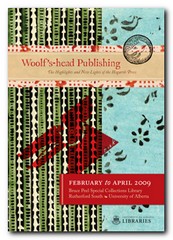
Hogarth Press The book’s dust jacket is printed on thick, richly textured paper with some of the exuberantly patterned papers originally used by the Press. It also features both of the woolf’s-head logos used by the Press, designed by Vanessa Bell and E. McKnight Kauffer. Even the interior pages of the book are coloured, using tints and washes which are a tonal echo of the original designs.

Many of the book jacket illustrations by Vanessa Bell are already quite well known. But there are others by John Banting, Kauffer, and Trekkie Parsons (Leonard Woolf’s ‘lover’ after Virginia’s death) which illustrate the wide and imaginative range of visual approaches the Woolfs took for the presentation of their publications.

However, it’s difficult for book jackets of this kind not to look rather dated today, almost a hundred years after their first appearance. But what definitely do not look dated are the richly patterned papers Leonard imported from Czechoslovakia and Japan for the volumes of poetry. These look as visually fresh today as they did at the time.

The authors represented stretch from the famous names who made the Press such a commercially successful venture – T.S.Eliot, Freud, Woolf, Vita Sackville-West – to people who have since disappeared into literary obscurity – Ena Limebeer, R.C.Trvelyan, and Virginia’s sixteen-year-old discovery Joan Adeney Easdale.

There are also what author and exhibition curator Elizabeth Gordon describes as ‘surprises’ – books ‘less commonly associated with the Hogarth Press’. These include a Canadian poet, a Bengali biography, translations of German poetry, (reflecting Leonard’s internationalism) and even a diet book.
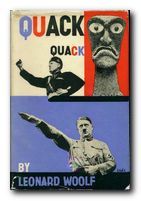
Quack! Quack!The other Press publications upon which the collection focuses are those by Virginia Woolf herself – all illustrated by her sister Vanessa Bell. There are also examples of the polemical essays published in the 1930s, which included arguments against Imperialism and in favour of feminism (of which Leonard was a champion). A short series of public letters even included ‘A Letter to Adolf Hitler’ by Louis Golding.

Best-sellers include Vita Sackville-West’s The Edwardians (1930) and All Passion Spent (1931), William Plomer’s detective thriller The Case is Altered (1932) and Christopher Isherwood’s Goodbye to Berlin (1939).

This book is a genuine collector’s item, and only months after its first publication it has started to win awards for its design and production values. Anyone with the slightest interest in book production, graphic design, typography, or Bloomsbury will want to own a copy the minute they clap eyes on it.

Hogarth Press Buy the book at Amazon UK

Hogarth Press Buy the book at Amazon US

© Roy Johnson 2009


Elizabeth Willson Gordon, Woolf’s-head Publishing: The Highlights and Newlights of the Hogarth Press, Alberta (CA): University of Alberta, 2009, pp.144, ISBN: 9781551952406


More on biography
More on the Bloomsbury Group
Twentieth century literature

Filed Under: Bloomsbury Group, Hogarth Press Tagged With: Bibliography, Bloomsbury, Graphic design, Hogarth Press, Leonard Woolf, Publishing, Virginia Woolf, Woolf's Head Publishing

Word Hacks

July 17, 2009 by Roy Johnson

Industrial-strength tricks for getting more out of Word

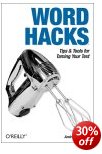
Microsoft Word is the world’s most popular word-processor – yet many people never use some of the powerful tools it has to offer. They might jiggle around with a few font choices and toolbar options, but there is a lot more under the bonnet which isn’t immediately apparent. Andrew Savikas’s new book Word Hacks offers tips and guidance for harnessing these hidden strengths. The tips are graded at beginner, moderate, and expert level – so you can work in a way which is comfortable for you. He starts off by telling you how to deal with all the menu options to make Word work as you want it to. Then it’s on to macros – a list of commands which you can store, to save you the problem of boringly repetitive keystrokes and menu choices. He also shows you how to hack your shortcut menus, and how to customise Word.

Word HacksThis ranges from trivial things such as changing the icons and buttons on your toolbars, to getting rid of the annoying and very unpopular Help assistant (Mr Paperclip). He then moves on to more useful tricks such as increasing the number of most recently used files (MRU) listed at the bottom of the File menu, and shows you how to mess with the number of font options available.

He shows you how to display samples of your fonts instead of just a list of their names; how to create bar graphs using tables; how to repeat a chapter heading across multiple pages; and how to increase the number of styles you can apply to footnotes ands captions.

Most of these tips only require you to type out a short macro (which he supplies) or to hack gently at the regular menu options. Any of the longer procedures are then saved as macros and assigned a keyboard shortcut of your choice.

You’ve probably noticed that Web addresses typed in Word turn automatically into hyperlinks – underlined and coloured blue. For those people (like me) who find this annoying, he shows you how to change the appearance and even get rid of them.

For serious and industrial strength writing he shows you how to do powerful search and replace edits, how to add custom (and temporary) dictionaries for special projects, how to take control of the way Word deals with bulleted lists, and how to make the most out of Word’s outlining feature.

There’s a whole chapter devoted to troubleshooting common Word problems – such as missing toolbars, repeated freezes and crashes, and the proliferation of unwanted temporary files. Then he finishes with some fairly advanced suggestions on forms and fields, plus how to get Word to perform calculations using tables, and using Word to work in XML and XSLT.

My guess is that this is one for people who like Word, who are committed to staying with it, and who want to get more from it in terms of power and productivity. It will also be useful to writers and editors working on book-length projects and reports. As usual with O’Reilly publications, the layout and presentation are impeccable.

© Roy Johnson 2004

Buy the book at Amazon UK

Buy the book at Amazon US


Andrew Savikas, Word Hacks: Tips and Tools for Taming your Text, Sebastapol: CA, 2004, pp.372, ISBN: 0596004931


More on technology
More on digital media
More on online learning
More on computers


Filed Under: Computers, Writing Skills Tagged With: Information design, Microsoft Word, Technology, Text editors, Word Hacks, Word-processors, Writing skills

Word limits in essays

August 23, 2009 by Roy Johnson

sample from HTML program and PDF book

1. You should make every effort to stay within any word limits that have been set for an essay assignment. One important part of the exercise is that you should produce an answer to the question within set limits.

2. You will not normally be penalised if your essay is a little too short – so long as your argument is written in a concise style and you have covered all the topics which a full answer requires.

3. Similarly, an essay that is just slightly too long will not normally be penalised – so long as all your arguments are relevant to the point of the question.

4. However, you should avoid producing essays which greatly exceed the word limit. The longer you go on writing, the more likely you are to stray away from the point of the question. You will not normally be rewarded just for the quantity you produce.

5. An essay which seriously exceeds the word limit (say, by more than twenty or thirty percent) could be returned to you by your tutor as unacceptable. The argument could be made that you are not staying within the set limits, and you are possibly taking an unfair advantage over other students who have stayed within them.

6. Quotations should not normally be counted as part of the word limit – but the total amount of material from secondary sources should be so small that the proportion is insignificant.

7. You do not need to make a detailed count of every word (or pencil totals in the margin as ‘proof’). Use the word-count feature of
your word-processor to get an idea of the total. If it doesn’t have a counter, just make the following calculation for a rough estimate of your total word count:

words per line × lines per page × pages

Too long

8. If an essay is too long before you produce your final draft, its length may be reduced by rigorous editing. Consider some of the following possibilities.

9. Eliminate any repetitions in your basic argument. If you cover the same point from more than one perspective, retain only the most important parts of the discussion, and delete the others.

10. You might consider shortening your introduction, certainly if goes on for much more than 200 words. In some extreme cases it might even be better to go straight to your argument.

11. Check your prose style and try to make the expression of your argument as concise as possible. If necessary, shorten the length of your sentences by removing any words which are not essential to the argument. Cut out anything which introduces a conversational tone.

12. Reduce the number of illustrative examples. Each major point of your argument should normally be illustrated by one or [at the most] two examples of evidence which are then analysed or discussed. If you have more, you should just retain the most convincing and relevant. Eliminate the others.

13. Shorten any illustrative quotations to the absolute minimum. Most essays should not need long quotations from secondary sources – if only because it is your own argument which is more important. Select just those few words which make your point.

Too short

14. If on the other hand your final efforts have produced an essay which is shorter than the required length, you obviously need to do some extra work on it. Consider the following steps.

15. Go back to the start of the essay planning process and generate more ideas and topics on the subject in question. Try to think of new approaches or aspects of the subject which you might have ignored or forgotten.

15. Look closely at the question again. Ask yourself if you have followed all its instructions and covered all that it has asked for.

16. Make sure that you have provided an explanatory introduction and conclusion to the essay. Don’t waffle just for the sake of filling up the space. Introduce your argument succinctly and make sure that you have explained its relevance to the original question.

17. It might be that you have produced an argument which is not well enough illustrated by examples which are analysed and discussed. Make sure that you have sufficient evidence and explanatory examples to prove your point. Do not let an argument stand alone without proof.

18. Make sure that you have explained the relevance of your argument to the question which was originally posed. In other words, you must demonstrate the connection between your examples and the subject in question.

© Roy Johnson 2003

Buy Writing Essays — eBook in PDF format
Buy Writing Essays 3.0 — eBook in HTML format


More on writing essays
More on How-To
More on writing skills


Filed Under: Writing Essays Tagged With: Academic writing, Essays, Reports, Study skills, Term papers, Word limits, Writing skills

Word Myths

July 25, 2009 by Roy Johnson

debunking linguistic urban legends and false etymologies

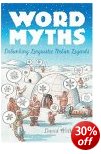
You know that the term posh comes from an acronym formed from the expression ‘port out, starboard home’? And that ‘the whole nine yards’ comes from the amount of fabric needed to make a kilt? Well you’re wrong: they don’t. This is a study of word myths and linguistic urban legends – why they arise, what they mean, who tells them, why they are told, and what they tell us about ourselves in terms of language and common usage. What David Wilton does is subject a series of ‘explanations’ for well known expressions and sayings to close historical scruitiny.

Word Myths As a result he demonstrates that ‘Ring-a-ring o’ roses’ is not about the plague, and that Eskimos – sorry! Inuit – do not have 500 words for snow, where we have only one. The truth is that we have lots, and so do they, but they make compound single words, where we use expressions such as pack ice. The outcome of his scholarship corresponds roughly with that of Michael Quinion, whose Port Out, Starboard Home explores similar territory. The main lesson to be learned seems to be that the more attractive and anecdotally interesting the explanation, the less likely it is to be true.

Disproving legends does sometimes become a little repetitively negative, but along the way there’s a lot of interesting socio-linguistics, language etymology, comparative linguistics, and cultural history. He even includes an instructive note on how to use dictionaries for language searches.

There are also some interesting detours into the realms of acronyms, back-formations, bogus history, ‘Elizabethan emails’, and many other justifications for completely false explanations of the origins of words and expressions.

He gives his opponents the benefit of the doubt from time to time, but takes quite a stringent line throughout:

Another factor in the popularity of the [pre 20th century] AWOL tale is the fact that the Civil War is a topic much loved by hobbyists and amateur historians. Any topic that excites the passions of hobbyists and fans tends to generate false etymologies.

He is certainly very well informed, and evidence for his claims is meticulously sourced. Disputes over the origins of the word jazz occupy several pages. And he deals as well with acronyms, backronyms, and eponyms – ascribing abbreviations, initial letters, or people’s names as the putative origin of a word, as well as the false etymology and political correctness in terms such as picnic, Indian, and gay.

You might think that so much effort in debunking what are often attractive anecdotes would be a dispiriting reading experience – but somehow it isn’t. In fact the opposite is true: it enhances one’s respect for good scholarship and the love of language.

© Roy Johnson 2008

Word Myths   Buy the book at Amazon UK

Word Myths   Buy the book at Amazon US


David Wilton, Word Myths, Oxford: Oxford University Press, 2008, pp.240, ISBN: 0195375572


More on dictionaries
More on language
More on literary studies
More on grammar


Filed Under: Language use Tagged With: Dictionaries, English language, False etymologies, Language, Reference, Word Myths

Word Origins

May 21, 2009 by Roy Johnson

The hidden histories of English words from A to Z

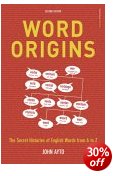
The average contemporary English speaker knows about 50,000 words. A large proportion of this total will actually be derived from Greek, Latin, French, and the Germanic languages. It is also estimated that every year, eight hundred neologisms are added to the English language. These include acronyms (nimby, from ‘not in my back yard’); blended words (motel, from motor + hotel); and those taken from foreign languages (savoir-faire). The entries in John Ayto’s Word Origins run from aardvark to zombie, laid out in an A-Z format with detailed cross references, and written in a style that is both authoritative and accessible.

Word OriginsThis is a valuable historical guide to the English language, aimed at students, general readers, and anybody who has an interest in words. For a full understanding, it helps to have at least a smattering of language history, which he provides in an amazingly compressed introduction. For instance, he gives as an amazing example the linguistic connection between the two apparently dissimilar terms bishop and spy. Indeed, his entries on individual words offer interesting potted histories

bishop [OE] Bishop originally had no ecclesiastical connections; its Greek source, episkopos, at first meant simply ‘overseer’ from epi- ‘around’ and skopein ‘look’ (antecedent of English scope, and related to spy). From the general sense, it came to be applied as the term for various government officials, and was waiting to be called into service for a ‘church officer’ as Christianity came into being and grew. The Greek word was borrowed into ecclesiastical Latin as episcopus (source of French éveque) and in more popular parlance lost its e-, giving *biscopus, which was acquired by English in the 9th century.
> SCOPE, SPY

Of course a great deal of our vocabulary is borrowed from or based on Greek and Latin, but a huge variety of other languages have contributed to our current lexicon of around a million and a quarter words.

This richly mixed heritage helps to explain not only why the lexicon is the world’s biggest, but also why so many words are difficult to spell, and why there are so many different terms for the same thing.

One of the benefits of a book like this is that its explanations are all sourced in a scholarly fashion, which lends credence to them. And at the same time they are offered in a very entertaining manner. I’ll certainly be more careful about using the term gobbledegook in future.

© Roy Johnson 2006

Word Origins   Buy the book at Amazon UK

Word Origins   Buy the book at Amazon US


John Ayto, Word Origins, London: A and C Black, 2nd edn, 2005, pp.554, ISBN: 0713674989


Filed Under: Language use Tagged With: Language, Reference, Word Origins

Word-processors for writing essays

August 25, 2009 by Roy Johnson

sample from HTML program and PDF book

1. The advantages of using word-processors for writing essays are overwhelming. They offer editing and re-writing tools, spelling-checkers and grammar-checkers, plus many features for improved layout and presentation.

2. If you are only just starting to use a word-processor and still producing handwritten essays, don’t feel disadvantaged. Keep in mind however (as an encouragement) that as presentation standards are forced up by word-processors, tutors are likely to become less and less tolerant of untidy work.

3. The main advantage of a computer when writing essays is that it allows you unlimited scope for re-writing and editing what you produce. You may start out with only a sketchy outline, but to this you can add extra examples, delete mistakes, and move paragraphs around to improve your argument. You are able to build up to the finished product in as many stages as you wish.

4. At first you might continue to produce your first draft in handwritten form, then transfer it into your computer at the keyboard. You can then edit what you have written, either on screen or by printing out what you have produced. This is quite common for beginners.

5. You will probably feel a strong desire to see everything printed out as soon as possible. Later however, with experience, you might edit on screen, only printing out the finished version. Most recent word-processors allow you to see on screen what the finished document will look like.

6. Before you print out your final document, make sure to leave plenty of blank space around the text so that your tutor can write detailed comments on what you have produced. Take the trouble to set wide margins, and follow the guidelines for good page layout and presentation.

7. The word-processor will produce your documents very neatly, but will probably do so by using single line spacing. Even though you are likely to be pleased by the neatness, learn how to set for one-and-a-half or double spacing so that your tutor is still able to make helpful additions and corrections between the lines of text.

8. If your word-processor has a spell-checking facility, then use it before you print out your document. But remember that it is unlikely to recognise specialist terms and unusual names such as ‘Schumacher’, ‘Derrida’, or ‘Nabokov’. These will not be in the processor’s memory. You will have to check the correct spelling of these yourself, as you will any other unusual words.

9. Remember too that a spell-checker will not make any distinction between ‘They washed their own clothes’ and ‘They washed there own clothes’, because the word ‘there’ is spelled correctly even though it is being used ungrammatically in this sentence. Use your grammar-checker [if you have one] to locate such problems.

10. Use italics to indicate the titles of books. (Reserve bold for special emphasis.) It is important that you are consistent throughout your document.

A.J.P. Taylor, The Origins of the Second World War, London: Penguin, 1987.

11. Take full advantage of indenting to regularise your presentation of quotations. Use double indentation for those longer quotations which would otherwise occupy more than two or three lines of the text in your essay. Try to be consistent throughout.

12. Advanced users may well be tempted to take advantage of automatic footnoting. Word-processors can remove all the headaches from this procedure. However, do not clutter your text with them just for the sake of showing off your command of the technology.

13. In most cases, the size of font chosen should be eleven or twelve points. This will be easy to read, and will appear proportionate to its use, when printed out on A4 paper.

14. Choose a font with serifs (such as ‘Times New Roman’ or ‘Garamond’) for the body of an essay text. Avoid the use of sans-serif fonts (such as ‘Arial’ or ‘Helvetica’): these make reading difficult. Avoid using display fonts (such as ‘Poster’ or ‘Showtime’) altogether. These are designed for advertising.

15. Long quotations (where necessary) should normally be set in the same font as the body of the text, but the size may be reduced by one or two points. This draws attention to the fact that it is a quotation from a secondary source. Alternatively (or in addition) it may be set in a slightly different font.

16. If your word-processor automatically hyphenates words at the end of a line, take care to read through the work and eliminate any howlers such as ‘the-rapist’ and ‘thin-king’.

17. In laying out your pages, you should avoid creating paragraphs which start on the last line of a page or which finish on the first of the next. (These are called, in the jargon of the printing trade, ‘Widows and Orphans’). The solution to this problem is to control the number of lines on a page so as to push the text forward. An extra space at the bottom of a page is more acceptable than just one or two lines of text at the top of the next.

18. Titles, main headings, or essay questions may be presented in either a slightly larger font size than the body of the text, or they may be given emphasis by the use of bold.

19. Don’t use continuous capital letters in a title, heading, or question. In addition [even though many people think it is good practice] there should be no need at all to underline. If something is a title, a heading or a question at the top of an essay, then the larger font, and the use of bold should be enough to give it emphasis and importance.

20. Don’t forget to put your name and student ID number on any work you submit.

© Roy Johnson 2003

Buy Writing Essays — eBook in PDF format
Buy Writing Essays 3.0 — eBook in HTML format


More on writing essays
More on How-To
More on writing skills


Filed Under: Writing Essays Tagged With: Academic writing, Essays, Reports, Study skills, Term papers, Word-processors, Writing skills

Wordless Books

May 24, 2009 by Roy Johnson

the original graphic novels

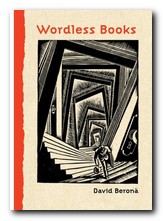
Wood engravings, linocuts, and, copperplate engravings have all existed for centuries, but it wasn’t until the early years of the 1900s that artists began to use them for creating book-length ‘stories without words’ which aspired to be the equivalent of novels. These are what we now call graphic novels. These illustrators were closely associated with the visual world of German expressionism, particularly that of Oskar Kokoshka and Ernst Kirchner. The two most prominent figures in this movement were Frans Masereel and Lynd Ward, though David Berona, in this thoughtful and well-informed work of homage to the genre also includes examples by Otto Nuckell, and the more recent Willam Gropper, the American Milt Gross, Giacomo Patri, and Laurence Hyde.

Graphic NovelsHe quotes the celebrated comic-book theorist Scott McCloud as observing that these woodcut stories were an important bridge between the nineteenth century and the modern day comic. He includes extracts from a number of Masereel’s wordless books – almost all of them dealing with the de-humanising effect of capitalism on the common man. His best-known work, The Passionate Journey (1919) was the nearest Masereel came to creating a novel in pictures – a story of Everyman at the start of the last century. It’s a tale very close in both substance and mood to Doblin’s later Berlin Alexanderplatz (1929).

Berona gives an account of Masereel’s other wordless novels, illustrating their somber black and white pages and describing their stories. He doesn’t go in for any profound analysis, which given the youthfulness of this art form at the time might even be a good thing.

The American artist Lynd Ward actually used the graphic novel form to explore issues of slavery and race in US culture, as well as the oppression that common people felt as a result of the Great Depression.

It has to be said that many of these ‘novels’ are often not much more than extended adolescent fantasies of the kind that are thrown up time and again in ‘creative writing’ classes. But what makes them very different is that they are executed dramatically and with visual finesse via these authors’ control of a two-dimensional visual medium.

It’s a world of tilting skyscrapers, menacing shadows, vertiginous perspectives, drink and debauchery, children born out of wedlock, and people set against sunrises with outstretched arms.

Almost all of these illustrators were on the side of the small, common man, and against the might of the capitalist, the owners of the means of production.

Some of the later examples, produced in the late 1920s and 1930s by American artists such as Milt Gross and Myron Waldman are very close to the comic book tradition which was emerging around the same time.

There are also lots of original book jacket covers reproduced here, as well as fully documented details of the artists, their works, and other publications related to this neglected niche of visual narratives.

It’s strange to note that apart from minor differences which arose from working with wood, lino, or even lead, the styles adopted by these artists were all remarkably similar. The graphic novel is now a thriving genre in its own right, with many distinguished illustrators working in the medium. But this is a valuable collection of the work of pioneers.

© Roy Johnson 2008

Wordless Books   Buy the book at Amazon UK

Wordless Books   Buy the book at Amazon US


David A. Berona, Wordless Books: The Original Graphic Novels, New York: Abrams, 2008, pp.255, ISBN: 0810994690


More on design
More on media
More on web design


Filed Under: Graphic design, Media Tagged With: Design, Graphic design, Graphic novel, Literary studies, Wordless Books

WordPress 2.7 Complete

December 28, 2009 by Roy Johnson

Create your own web site from scratch with WordPress

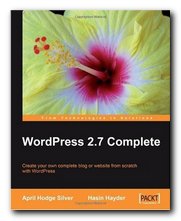
WordPress 2.7 Complete. WordPress started out as blogging software, but it has grown rapidly into a fully featured content management system (CMS). That’s partly because it was well designed in the first place, but mainly because it is open source software (OSS), which means that designers and programmers all over the world have contributed to its development and improvement. This effort comes mainly in the form of extra modules for the basic program. These are plugins which increase the range of features and enhance what WordPress can do.

WordPressBut like many other OSS programs WordPress comes without an instruction manual, which means that it’s hard for beginners or new users to get to grips with what’s under the bonnet. There are user forums and FAQs, but most people will feel more confident with an instruction manual, which is why this guide from April Hodge Silver is welcome. She starts out by explaining some basic concepts and parts of WordPress as software. This might appear a little simplistic, but in my experience it’s quite important to grasp some of the fundamentals of a content management system. For instance it’s not immediately apparent that all the parts of what will eventually appear on screen as a unified page are kept separate. That is, the title, sub-title, text, pictures, captions, tags, and meta-data are all stored in different parts of the database – for good reasons. And of course the appearance of this information on screen is controlled separately too – from a style sheet.

She then describes how to make a WordPress installation of your own, and how to set up all the basic configuration of the system. You can get WordPress.com to do all of this for you, by hosting your installation. But they do not give you permission to install the extras with which you can customise your site (and make money from it).

Posting a blog entry is very, very easy, and WordPress also makes it as easy as possible to control and format what you write. But she explains all the options clearly, including the way in which you can add graphics to make your pages more visually interesting.

All of this means getting to know the control panel and its multiple menus, and her explanations are very helpful, because it isn’t always possible to tell what function some item performs simply from its title. What’s the difference between a page and a post for instance? The name alone tells you nothing.

One of the really good things about WordPress is that most of the content of any site is organised using what are called management tables. These are lists of all the basic information known about any item, and because the data is tabulated, it’s much easier to understand and control.

The next part of the book deals with two features which really bring WordPress to life – themes (which is WP jargon for templates) and widgets, which are ‘sidebar accessories’ that allow you to personalise what shows up your sidebars – without having to learn any PHP or HTML code.

In fact the urge to have an individualised site is so universal that she wisely includes instructions for designing your own theme. It’s at this point you’ll need HTML design skills and a knowledge of cascading style sheets (CSS) – but she provides some basic coding to get you started.

And for those readers with a creative bent who have coding skills she also demonstrates how to create your own plugins and widgets. (A widget is just a plugin with extra functions.) But you’ll also have to be prepared to roll up your sleeves and dive into the database at this point.

There’s an interesting chapter on using WordPress as a content management system. This explains in some detail the difference between static pages and normal posts, and it presents a different type of theme which is geared to the construction of a commercial site with product pages. Although they are not covered here, there are now excellent plugins offering fully-featured eCommerce systems.

WordPress is now up to version 2.9 – but I checked all the basic concepts outlined in this book, and they still hold good. Even the copious screen shots illustrating the guidance show exactly what you’ll see when you start using the latest version. This is an excellent guidance manual which I could have done with a year ago when I first started learning how to use WordPress. It would have saved me lots of time and speeded up the process enormously.

© Roy Johnson 2010


April Hodge Silver, WordPress 2.7 Complete, Birmingham: Pakt Publishing, 2009, pp.277, ISBN 184719656X


More on technology
More on digital media
More on online learning
More on computers


Filed Under: CMS, Open Sources, Web design Tagged With: Blogging, CMS, Open Sources, Web design, WordPress, WordPress 2.7 Complete

WordPress for Dummies

July 25, 2009 by Roy Johnson

from blogging platform to content management system

WordPress was first launched in 2003 as open source software designed for blogging – and it is still used as such. But as its popularity has suddenly grown exponentially, enormous numbers of add-ons and plug-ins have been developed to provide extra features. Because it’s built on a solid base of MySQL and PHP, these extra features have transformed it from an individualist tool into a major communication platform. So much so that it’s now become a content management system (CMS) which offers an alternative to Joomla and Drupal. Releases of the software are named after jazz musicians. WordPress for Dummies is a guidance manual on how to use it.

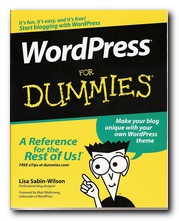
WordPress for DummiesIf you want to see the sorts of web sites which use this combination of WP + templates – look here, here, and here. This is the best of the current guides to using WordPress. The strongest point in its favour – apart from the very direct ‘for Dummies’ approach – is that it gives instructions for would-be bloggers , but also explains the more sophisticated uses of WP for those who want to build a web site using a content management system. The beauty of WordPress is that it can do both.

In fact WordPress is pretty thoughtful software – which is what’s made it so popular. All blog posts can be drafted, auto-saved, spell-checked, and stored prior to publication. The options for interacting with site visitors are endless – which is presumably why WP has overtaken Blogger. It really does have the heavy-duty functionalities of a full-scale content management system combined with the ease of use of a simple blogging platform.

Basically, this guide covers the three main options for WordPress users – the hosted service where you have a blog at WordPress.com; the free software which you download from WordPress.org; and the multi-user version. And the author, Lisa Sabin-Wilson, now makes her living designing WordPress templates – so she knows what she’s talking about.

I set up a test blog at WordPress recently [here] and can confirm that it took me less than five minutes from start to finish – and that includes uploading a picture and editing my profile.

WordPress successfully combines ease of use with a range of powerful features, so if you’re thinking of starting your own blog, WP seems to be the way to go. So the first option, of using WP for blogging, couldn’t be simpler.

Just in case you’re worried, WordPress has got nothing to do with Microsoft Word. It’s an Open Source program, and therefor free. You access the program without payment, and updates are available to you at any time without charge.

The second option of hosting the software on your own machine gives you scope to make use of lots of extra features. Many of these are free plug-ins which add extra functionality to the system. But even more important than the trimmings, this guide explains in detail the crucial installation and configuration of WordPress. This is the part most people are likely to find find difficult.

Ambitious bloggers and web designers will know that everybody wants to have an individualised theme – that’s the style and layout of what appears on screen. How to do that is explained here as well – including some rudiments of style sheets and PHP coding.

The third option is to use the most advanced, multi-user version of WordPress. This is for people who want a community of users and contributors. I came across one recently – a football enthusiasts’ site where fans email their reviews of matches directly from the game. Post-match reports are available even before they’re on the national news channels. There are three whole chapters on how to set up and administer this version of the software.

Lisa Wilson finishes with recommendations for free WordPress themes and plug-ins. All of these allow you to customise your site or blog, and add functionalities that only a professional designer could have dreamed about only a couple of years ago.

It’s almost impossible for these printed guides to keep up with the pace of software development. New features are being added whilst the book is with the printer. Just get the latest edition, and recognise that there may be differences in what appears on screen. Of course, you can always read the complete documentation at codex.wordpress.org – but if like me you prefer a proper book to consult, rather than reading off screen, then it’s all here. This book not only showed me how to use WordPress: it helped me to understand some of the fundamental structures of content management systems.

© Roy Johnson 2010

 Buy the book at Amazon UK

Buy the book at Amazon US


Lisa Sabin-Wilson, WordPress for Dummies, New York: Wiley, 3rd edition 2010, pp.408, ISBN: 0470592745


More on technology
More on digital media
More on online learning
More on computers


Filed Under: CMS, Open Sources, Web design Tagged With: Blogging for Dummies, Blogs, CMS, Open Sources, Publishing, Technology, WordPress, WordPress for Dummies

Words (language skills)

July 17, 2009 by Roy Johnson

beginner’s guide to language skills

Did you know that there are between one and two million words in the English Language. It’s the biggest stockpile in any language, mainly because English has been forged from many other languages – including Latin, Greek, Anglo-Saxon, French and German. Most people know between 25,000—75,000 words, and John Seely’s advice in this lively and accessible guide is that we should become aware of the distinctions between words. Word power is not just a case of learning more and more words, but using them with more care. He shows how words should be selected according to the situation in which they are going to be used. For instance, there is no point using specialist jargon if you are writing for a general audience.

Words (language skills)He gives advice on using a dictionary, and he offers a good account of what information dictionaries contain, and how to choose one to suit your purposes. There’s an interesting chapter on judging your audience and choosing the appropriate vocabulary for your purpose in writing. This deals with the connotations, the range and tone of words, ranging from formal, informal, and jargon, to slang and even taboo words.

He offers a brief account of the history of the English language, showing how it has been and continues to be built from words borrowed from other languages. It’s also particularly good for coining new terms from existing words – such as cybercafe and velcroid.

The second part of the book gives a humane collection of information about word classes, word structure – nouns, verbs, adjectives, prefixes, suffixes, and so on. This also includes lists of words which are commonly confused, such as adduce/deduce – and he ends with a detailed glossary.

This might all sound rather dry, but I have to say that the more I read on, the more interesting the book became. It’s suitable for anybody who wishes to perform more successfully in the workplace or in studying, and it will tell you all you need to know in order to develop or improve your word building and vocabulary.

© Roy Johnson 2002

Words   Buy the book at Amazon UK

Words   Buy the book at Amazon US


John Seely, Words, Oxford: Oxford University Press, 2002, pp.128, ISBN: 0198662823


More on writing skills
More on language
More on grammar


Filed Under: Language use, Writing Skills Tagged With: English language, Language, Language use, Words (language skills)

  • « Previous Page
  • 1
  • …
  • 97
  • 98
  • 99
  • 100
  • 101
  • …
  • 103
  • Next Page »

Get in touch

info@mantex.co.uk

Content © Mantex 2016
  • About Us
  • Advertising
  • Clients
  • Contact
  • FAQ
  • Links
  • Services
  • Reviews
  • Sitemap
  • T & C’s
  • Testimonials
  • Privacy

Copyright © 2026 · Mantex

Copyright © 2026 · News Pro Theme on Genesis Framework · WordPress · Log in