Mantex

Tutorials, Study Guides & More

  • HOME
  • REVIEWS
  • TUTORIALS
  • HOW-TO
  • CONTACT
>> Home / Archives for 2009

Archives for 2009

E.M.Forster – biographical notes

September 27, 2009 by Roy Johnson

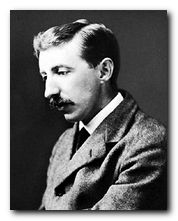
E.M.Forster - portrait1879. E.M.Forster (Edward Morgan) born in London. His father dies the following year.

1887. Inherits £8,000 from his great-aunt Marianne Thornton.

1890. Educated at private schools in Eastbourne and Tonbridge Wells, where he was very unhappy and developed a lasting dislike of the public school system.

1897. Studies classics and history at King’s College, Cambridge. Influenced by philosopher G.E. Moore and the notion that the purpose of life is to love, create, to contemplate beauty in art, and to cultivate friendships. Becomes a member of the Apostles, which was later to form the nucleus of the Bloomsbury Group. He was a contemporary of Leonard Woolf, Lytton Strachey, Thoby Stephen, and Maynard Keynes.

1901. One year’s tour of Italy and Austria with his mother. Begins writing seriously.

1902. Teaches at the Working Men’s College and Cambridge Local Lectures Board (extra-mural department).

1904. Begins contributing stories to the Independent Review, launched by a group of Cambridge friends, including G.M.Trevelyan. ‘The Story of a Panic’ his first published work.

1905. Where Angels Fear to Tread is published. Spends some time in Germany as tutor to the children of Countess Elizabeth von Arnim (first cousin of Katherine Mansfield).

1906. Works as a private tutor to Syed Ross Masood, a colonial Indian patriot, for whom he develops a passionate attachment.

1907. The Longest Journey published. Forster is a member of the Bloomsbury Group and a friend of Virginia Woolf, Leonard Woolf, Lytton Strachey, and Roger Fry.

1908. A Room with a View.
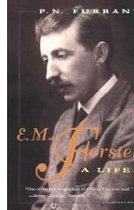

E.M.Forster: A Life is a readable and well illustrated biography by P.N. Furbank. This book has been much praised for the sympathetic understanding Nick Furbank brings to Forster’s life and work. It is also a very scholarly book, with plenty of fascinating details of the English literary world during Forster’s surprisingly long life. It has become the ‘standard’ biography, and it is very well written too. Highly recommended.


1910. Howard’s End: his first major success, which established his reputation as a writer of importance.

1911. Publishes a collection of rather light and whimsical short stories, The Celestial Omnibus.

1912. Visits India and travels with Masood. Begins writing A Passage to India.

1913. Visits Edward Carpenter (an early evangelist for gay rights) and as a result begins writing Maurice, a novel about homosexual love which is not published until 1971, after Forster’s death.

1915. Begins working for the Red Cross in Alexandria.

1919. Returns to England.

1921. Second visit to India. Becomes private secretary to the Maharajah of Dewas.

1924. A Passage to India widely acclaimed. But gives up writing novels because he felt he could not write openly and honestly about sexual relations.

1927. Elected Fellow of King’s College, Cambridge. Gives the Clark lectures which are published as Aspects of the Novel.

1934. First president of the National Council for Civil Liberties.

1936. Abinger Harvest: a collection of his essays and reviews.

1945. Death of his mother. Elected Honorary Fellow at King’s and takes up entitlement to live there.

1947. Lecture tours in the United States.

1969. Awarded the Order of Merit.

1970. Dies in the home of friends.

© Roy Johnson 2009


More on E.M. Forster
More on the novella
More on biography
More on the Bloomsbury Group
Twentieth century literature

Filed Under: Bloomsbury Group, E.M.Forster Tagged With: Biography, E.M.Forster, Literary studies, The novel

E.M.Forster – What I Believe

October 4, 2009 by Roy Johnson

Hogarth Press first edition book jacket designs


What I Believe - original pamphlet

 
E.M. Forster, What I Believe (1939)

previousnext


Hogarth Press studies

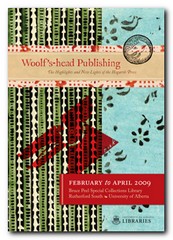
Woolf's-head Publishing Woolf’s-head Publishing is a wonderful collection of cover designs, book jackets, and illustrations – but also a beautiful example of book production in its own right. It was produced as an exhibition catalogue and has quite rightly gone on to enjoy an independent life of its own. This book is a genuine collector’s item, and only months after its first publication it started to win awards for its design and production values. Anyone with the slightest interest in book production, graphic design, typography, or Bloomsbury will want to own a copy the minute they clap eyes on it.

Woolf's-head Publishing Buy the book at Amazon UK
Woolf's-head Publishing Buy the book at Amazon US

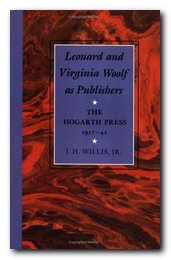
The Hogarth Press Leonard and Virginia Woolf as Publishers: Hogarth Press, 1917-41 John Willis brings the remarkable story of Leonard and Virginia Woolf’s success as publishers to life. He generates interesting thumbnail sketches of all the Hogarth Press authors, which brings both them and the books they wrote into sharp focus. He also follows the development of many of its best-selling titles, and there’s a full account of the social and cultural development of the press. This is a scholarly work with extensive footnotes, bibliographies, and suggestions for further reading – but most of all it is a very readable study in cultural history.

The Hogarth Press Buy the book at Amazon UK
The Hogarth Press Buy the book at Amazon US

© Roy Johnson 2005


Filed Under: Hogarth Press Tagged With: Art, Bloomsbury, E.M.Forster, Graphic design, Literary studies, What I Believe

Eats, Shoots and Leaves

October 20, 2009 by Roy Johnson

a radical defense of traditional punctuation rules

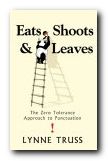
Who would have thought it! A book on punctuation at the top of the best-seller lists. The title refers to joke about a panda who goes into a cafe, orders a sandwich, then pulls out a gun and fires it. The panda had read an encyclopedia entry on itself which contained the unnecessary comma in Eats, Shoots and Leaves. Lynn Truss’s attitude to punctuation is enthusiastic, robust, and uncompromising, as her subtitle makes clear.

Eats, Shoots and LeavesShe wants you to become angry at the misuse of apostrophes and indignant at misplaced commas. She teaches via anecdote, which is probably why the book is so popular. There are no stuffy grammar lessons here, just accounts of bad punctuation, explanations of why they are wrong, and exhortations to keep up standards.

She likens punctuation to good manners – something which should be almost invisible, but which eases the way for readers. And in fact for all her slightly tongue-in-cheek militancy, she takes a non-pedantic line where there are areas of doubt or where punctuation becomes a matter of taste and style.

She takes you on a lively and entertaining tour of the comma, the semicolon, the apostrophe, the colon, and the full stop. Then it’s on to the piquancies of the exclamation and the question mark.

There are several interesting but mercifully brief detours into the history of punctuation – and I couldn’t help smiling when she confessed that her admiration for Aldus Manutius the elder (1450-1515) ran to being prepared to have his children.

Her style is very amusing and, appropriately enough for a book on language, quite linguistically inventive. She knows how to get close to you as a reader and isn’t scared to take risks.

For all her vigilance however, I think she misunderstands one example of the apostrophe – and the point of the joke it is making. A cartoon showing a building with the sign Illiterate’s Entrance could be using the term ‘illiterate’ as a collective singular. She thinks it should read Illiterates’. But we won’t quibble.

She ends by looking at the chaos of random punctuation which now predominates much of email messaging – and feels apprehensive. But I don’t think she needs to worry. For every hyphen or ellipsis to punctuate a gap in thought and sense, there is a new word or a new linguistic invention to compensate. Language may well be a self-compensating and even self-correcting system after all.

Anyone who is unsure about the basics of punctuation will learn some valuable lessons here, and those who already care will have their feelings and understanding confirmed in a very entertaining manner.

Eats, Shoots and Leaves   Buy the book at Amazon UK

Eats, Shoots and Leaves   Buy the book at Amazon US

© Roy Johnson 2009


Lynn Truss, Eats, Shoots & Leaves: The Zero Tolerance Approach to Punctuation, London: Profile Books, 2009, pp.209, ISBN: 0007329067


More on writing skills
More on language
More on grammar


Filed Under: Language use, Writing Skills Tagged With: Eats, Grammar, Language, Punctuation, Shoots & Leaves, Writing skills

eBay Hacks

June 30, 2009 by Roy Johnson

eCommerce tips and tricks for auction success

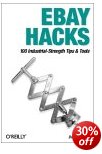
eBay is one of the big eCommerce success stories – a giant marketplace where over 20 million goods of all description are being bought and sold at the astonishing rate of $680 every second of the day. You can buy and sell almost anything. Some people buy what others throw out at knock-down prices, then re-sell the same stuff at a profit – and actually make a living doing so. David Karp’s book is not just a user’s manual – though it does show you how to use the system. And the hack in his title refers to making the best of its features to improve your trading. He explains how to use and improve search terms to find what you’re looking for.

eBay HacksHe also includes Perl scripts for those enthusiasts who want to take their buying and selling strategies to a more serious level. There’s an amazing amount of detail on how to operate the bidding system, including tips on what’s called ‘sniping’ – making a killer bid just before an auction closes. All this is advice based on first-hand experience. He’s a seasoned buyer and seller, and he even reveals some of the mistakes he has made.

There is a dizzying array of checks and balances to promote fairness and minimise cheating on eBay. The auction process works through interlocking systems of trust, public feedback, posted reputations, and third-party arbitration for any disputes.

He deals with an amazing range of skills: page design, eCommerce payments and banking, digital photography, scripting (if you want to maximise control) public relations (dealing with buyers or sellers) and mail order techniques for shipping items you sell.

Finally, for those who want to open a serious business, he explains the steps for running a full time store on eBay. You can also join their affiliate program and ‘make money whilst you are asleep’.

You might want to start with just a little part-time hobby, or you could become a serious eCommerce day-trader. Either way, everything you need to know about taking part in the world’s biggest auction is covered here.

The latest edition has been completely revised and updated to make use of an array of new tools and features, as well as to reflect the changes in the eBay API, eBay’s policies, and the general practices of its increasingly sophisticated users.

© Roy Johnson 2005

eBay Hacks   Buy the book at Amazon UK

eBay Hacks   Buy the book at Amazon US


David A. Karp, eBay Hacks: 100 Industrial-strength tips and tools, Sebastopol: O’Reilly, 2nd edn, 2005, pp.447, ISBN: 059610068X


More on eCommerce
More on media
More on publishing
More on technology


Filed Under: e-Commerce Tagged With: Business, e-Commerce, eBay, Online selling

eBay the smart way

July 18, 2009 by Roy Johnson

selling, buying, and profiting on the Web’s #1 auction site

The Internet has thrown up lots of new possibilities for commerce, and one which has exploded in the last eighteen months is online auctions. This is the car boot sale principle writ large. People are making a living – if not fortunes – buying cheap and selling as dear as the market will stand. Vendors describe their goods on an auction house website, and buyers register their bids. At its best, everybody wins. Sellers get more profit than they would in the bricks-and-mortar second-hand market, and the buyer gets a cheaper price. The person who makes most of course is the auction house, because it gets a cut of the transaction.

eBay the smart wayThere are lots of auction houses, but Joseph Sinclair’s guide concentrates on eBay because it is the biggest and most successful. In July 1999 eBay had over two million items for sale in over 1,600 categories, and it was receiving over 50 million hits per day on its site. That’s an awful lot of traffic, and it’s quite obvious from his account that if you want to win in buying or selling, you need to know how it all works. There are four types of auction, and they can last for three, five, or seven days, usually producing a flurry of bidding towards the last few hours.

The system is obviously wide open to abuse and fraud, all of which Joseph Sinclair confronts quite frankly. Some people send duff goods, others fail to pay for them. Many, many pages are devoted to the problems, and by midway through the book auctions seemed to me like a legal minefield. But eBay has built into its interface a complex system of public feedback, checks, complaints, and an ‘About Me’ system in which commercial reputations can be built up via honest transactions – or lost via sloppiness or corruption. He also claims that online criminals are more easily caught than offline, because they are easier to trace.

It’s interesting that the online auction system brings all the previously ‘hidden’ disputes over problematic transactions out into the open. They certainly do go on in daily terrestrial commerce, but others don’t normally see them or even hear about them However, he includes advice on withdrawing an item from auction, withdrawing a bid, or disagreeing over a transaction. It’s quite obvious that he knows the system very well, and anyone feeling inclined to snap up bargains would do well to follow his advice.

As you can probably imagine, this new form of trading has throw up its own weird jargon – including terms such as ‘feedback solicitation’, ‘bid shielding’, ‘bid siphoning’, and ‘shill feedback’. He explains most of the terms, but I think a glossary would have been useful.

The book is quite an interesting market product in its own right. Huge margins, wide line-spacing, only 200 words per page, a sub-heading for almost every paragraph, and page layout kept brutally simple. Perhaps this is a sign of book production which has been influenced by the design of web sites? Oh, and it’s also quite cheap.

© Roy Johnson 2002

eBay the smart way   Buy the book at Amazon UK

eBay the smart way   Buy the book at Amazon US


Joseph T. Sinclair, eBay the smart way: selling, buying, and profiting on the Web’s #1 auction site, New York: Amacom, 1999, pp.418, ISBN: 0814470645


More on eCommerce
More on media
More on publishing
More on technology


Filed Under: e-Commerce Tagged With: Business, e-Commerce, eBay, eBay the smart way

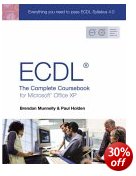
ECDL: The Complete Coursebook

June 27, 2009 by Roy Johnson

coursebook for ECDL, or for improving computing skills

The European Computer Driving Licence (ECDL) is an internationally recognised certificate of computing skills. In a climate where employers are increasingly keen to employ staff with proven IT skills, the ECDL is highly regarded and provides proof of competence in the most common software applications. The licence is awarded to candidates who pass tests in seven modules, which together make up the ECDL syllabus.

  • Basic Concepts of IT
  • Using the Computer and Managing Files
  • Word Processing
  • Spreadsheets
  • Databases
  • Presentations
  • Information and Communication

This coursebook has been fully approved by the ECDL Foundation. If you can grasp these basic skills, you are well on your way to computer proficiency.

ECDL4: The Complete Coursebook It devotes a chapter to each of the modules and provides a comprehensive guide to some of the most common business applications. It’s written in clear, easy to follow language. It’s also jargon free and assumes little or no previous knowledge of the applications that it covers. Both the tests and the book are based on Microsoft software – and in particular Windows XP®, Internet Explorer 5® and Outlook Express 5®.

Although the ECDL modules are numbered, the tests can be taken in any order. However, the authors here assume readers will work through the sections in order. The earliest sections are aimed at the complete beginner and they explain basic computer terms and concepts. The later chapters provide less explanation of the basics.

Much of the material covered will be familiar to a regular computer user, but there are very clear explanations of, for example, the difference between ROM and RAM, and the meaning of bits and bytes. This is the only section of the coursebook that is entirely theoretical. Its aim is to prepare the reader for a multiple-choice test on the key concepts of Information Technology.

The rest of the book contains over 280 easy-to-follow exercises, which guide you through the various features of the relevant applications. Starting with the simplest of tasks, the exercises enable you to become familiar with the software before introducing its more advanced features. There are over 700 screen shots which show what the results should look like.

There are also plenty of hints and shortcuts, and it’s likely that even the most confident of computer users will pick up the odd little gem.

I used this book as preparation for my own ECDL tests. Since gaining the licence I’ve referred back to it many times to refresh my memory on various points and have found many of its hints and tips to be invaluable.

For anyone interested in taking the ECDL, this book contains everything you will need to pass. And it wouldn’t be wasted on those who simply want to improve their knowledge and skills in popular software applications.

More information about the ECDL is available from the official website at http://www.ecdl.com/

© Kathryn Abram 2003

Buy the book at Amazon UK

Buy the book at Amazon US


Paul Holden and Brendan Munnelly, ECDL4: The Complete Coursebook, Prentice Hall, new edition 2003, pp.640, ISBN 0130399175


More on technology
More on digital media
More on online learning
More on computers


Filed Under: Computers Tagged With: Computers, ECDL, ECDL4: The Complete Coursebook, Education, Technology

Editing and Revising Text

May 25, 2009 by Roy Johnson

beginner’s guide to editing and re-writing

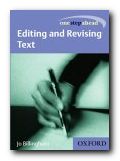
Oxford University Press have just brought out a series of short beginners’ manuals on communication skills. Their emphasis is on compact, no-nonsense advice directly related to issues of everyday life. Jo Billingham’s Editing and Revising Text provides a practical approach to reworking your writing for students, office workers, and newsletter editors. She covers editing your own work and text written by others, and her whole approach is designed to help you make any writing more effective.

Editing and Revising Text Every part of writing is covered – from the choice of individual words, through sentence construction and arranging paragraphs, to creating firm structure in the parts of a longer piece of work. She discusses the differences between editing, re-writing, and proof-checking, and shows how to revise sentences for brevity, simplicity, and clarity (move the subject to the start!).

There’s an interesting section on how to edit if there’s too little or too much information in the text, plus the importance of how to judge if it’s right for its intended audience.

She also covers the process of making multiple edits – on paper and screen – and quite rightly suggests that it is best to edit for one feature at a time.

I was glad to see that she emphasises the usefulness of the word-processor as an aid to editing. It’s amazing how work can be improved by using spelling and grammar-checkers, as well as the powerful tools of cut-and-paste, and search-and-replace.

The book has examples from real articles, essays, letters and reports, and the last part is a series of checklists for different types of editing – technical, academic, business, and even email.
She also gives a brief explanation of proof-reading, and perhaps the most difficult task of all – making sure that there is structural and linguistic ‘flow’.

The chapters of these guides are short and to-the-point; but the pages are rich in hints, tips, and quotes in call-out boxes. The strength of this approach is that it avoids the encyclopedic volume of advice which in some manuals can be quite frightening.

© Roy Johnson 2005

Editing and Revising   Buy the book at Amazon UK

Editing and Revising   Buy the book at Amazon US


Jo Billingham, Editing and Revising Text, Oxford: Oxford University Press, 2002, pp.136, ISBN: 0198604130


More on publishing
More on journalism
More on creative writing
More on writing skills


Filed Under: Journalism, Publishing, Writing Skills, Writing Skills Tagged With: Editing, Editing and Revising Text, Information design, Journalism, Publishing, Revising, Writing skills

Editing essays

August 22, 2009 by Roy Johnson

sample from HTML program and PDF book

1. Editing essays or any piece of writing before you submit it for assessment is a sure way of improving its quality. Only very skilled writers can produce work without making mistakes. The elimination of small errors will improve the appearance and effectiveness of what you write.

2. The difference between a first and second rate piece of work may rest on just a little extra time spent checking what you have written. Read through your work carefully and correct any errors.

3. If necessary, read the essay out loud to check its grammar and correctness, but keep in mind that a conversational tone is not appropriate in essays.

4. Eliminate any sloppy or muddled writing. If something strikes you as weak or unclear, take the trouble to put it right. If this is not possible, be prepared to eliminate it from the essay.

5. Check for sentences which are grammatically incomplete. Look out for those which might lack any part of the Subject-Verb-Object minimum for grammatical coherence.

6. Check for missing words. Insert them into even the neatest completed typescript or manuscript. If you are using a word-processor, a grammar-checker might help you here.

7. Check that you have spelled correctly any proper names, technical terms, or lesser-known words. If in doubt, look them up in a good dictionary. Use the spell-checker if your word-processor has one.

8. Check that your punctuation is consistent, accurate, and legible.

9. Check for consistency in the layout of your pages.

10. If your final draft contains a lot of mistakes and corrections, be prepared to re-write it, even if this will take quite some time. This will give you the opportunity to improve your presentation, and you will probably discover that you can introduce further improvements to the arguments.


Checklist

  • Eliminate any awkward turns of phrase
  • Split up any sentences which are too long
  • Re-arrange the order of your paragraphs
  • Eliminate any repetitions
  • Correct errors of spelling or punctuation
  • Create smooth links between paragraphs
  • Add anything important you have missed
  • Delete anything which is not relevant
  • Check for weak syntax and grammar
  • Run the grammar-checker and spell-checker

© Roy Johnson 2003

Buy Writing Essays — eBook in PDF format
Buy Writing Essays 3.0 — eBook in HTML format


More on writing essays
More on How-To
More on writing skills


Filed Under: Writing Essays Tagged With: Academic writing, Editing, Essays, Study skills, Term papers, Writing skills

Editing on screen and paper

November 18, 2009 by Roy Johnson

an email discussion amongst professional writers

Editing documentsThis discussion first took place on the WRICOM (Writing and Computers) mailing list, which is hosted by Mailbase (UK). Note that these are personal opinions, exchanged in the casual manner of email messaging. The language and style are deliberately informal. There is no guarantee that the email addresses of individual contributors will be up to date.
 

From: Roy Johnson <Roy@mantex.co.uk>

If you write using a word-processor, you may have noticed something rather odd. You can create a perfect document, check the spelling, and even check the grammar – but when you come to print out the document you notice things which you missed on screen.

These might be mistakes, or they might just be points of style or emphasis you want to change. If it’s a long document, you’ll feel like kicking yourself and you might feel guilty about all the paper you’re wasting.

For many writers, editing work on screen and on paper appear to be two different things. Why is this?

Maybe writers are reluctant to edit their work when it is in the ultimate form it will assume prior to being published. But perhaps not when it is still in its penultimate form?

That is, if my electronic text, on disk, is destined to become a printed book, I am reluctant to change the contents of the disk on which I have worked for hours and hours.

However, when I print out the pages, they seem to me a penultimate version which can still be chopped around with impunity.

This seems puzzling. Does anybody have the same experience, or observations on what’s happening?

================================

From: Jane Dorner <Jane@editor.net>

my theory is that you edit and edit on screen and the printout (long works) *becomes* the penultimate version that gets the final tweaks because it looks different.

I’m just editing a 200-page document and am extremely unwilling to print it out more than once for final tweaks. Its also far easier to edit for consistency using search & replace with the full document in memory.

======================================

From: Janet Atkinson-Grosjean <janag@whidbey.whidbey.com>

a laser printed page looks so *finished-product-ish*, I was trying to make the writing perfect, before it ever hit the page. Not surprisingly, my writing became constipated, for lack of a better word. I was on-screen editing instead of writing/drafting, because, in my mind, I wasn’t allowed to edit laser-printed copy because it was *finished.*

After driving myself nuts for a while, I decided to print all drafts in the yukkiest-looking Courier typeface I could find. This works. It tricks me enough. Only the ultimate, finished product uses a different font.

==================================

From: Austin Meredith <rchow@benfranklin.hnet.uci.edu>

the WYSIWIG technology is not adequately advanced at this point. Even in the very best of the current technology … the display of the material on the screen and the printing of the material across the printer does not result in precisely the same level of clarity.

my reluctance to edit heavily on phototypesetter page proofs can entirely be accounted for by the hard and unpleasant fact that the publisher is going to charge me money for each change I make which is not the publisher’s fault, and deduct that amount unilaterally from my royalty checks later!

I am editing on the screen _and_ on paper. Despite the excellence of my equipment, my print display is still superior to my screen display. But there are types of editing which are better done on screen. Spell-checking is an obvious instance of this, but there are other types of editing which are better done on screen.

==============================

From: Rich Berman <rich@interport.net>

I see things like puncutation and misspellings more easily in hard copy, but also sentence structure. Things like too many short sentences together, or too many compounds etc. I also find them easier to correct in hard copy, with pen and paper.

Is it possible that this is because with hard copy you can compare new with old. When you make a correction on the screen, you see only the new. When on hard copy on the other hand, both are there, the original typed, and the new in pen and ink, (and somewhat in the imagination.)

certain media allow us to see some things more clearly than others, although I have read advice to writers that suggested that saving all the material that we cut helps us experience it as not lost, and therefor feel no sense of loss. That might support your idea, Roy.

==============================

From: <Robert_P_KOLKER@umail.umd.edu>

Ive had similar experiences as Roy Johnson of written text on and off the page. Ive done a number of books which Ive edited entirely on screen, and which looked just fine when they got to print. However, in the instances when I do print out a text to edit, I see things–nuances of word patterns, mostly–that I miss on the screen. Whats happening I think, is a holdover from pre-computer days (yes, I’m a middle-aged early adopter, or is it adapter?). I still find the printed word of a different texture than the word on CRT. I find this neither good nor bad. While I cannot read large amounts of text on the screen, I can write them. And edit them. A different kind of fine tuning comes when I hold the words in my hand.

==================

From: Eric Johnson <johnsone@dsuvax.dsu.edu>

I write and edit on a computer screen, but when I think the document is in final form and print it, I want to make more revisions. The reason may simply be that it is much easier to see more of the document at one time when it is printed on paper.

Now, as graphic word processors attempt to present on the screen what will be printed (WYSIWYG), we may end up doing more — not less — editing on paper since a monitor that displays WYSIWYG type in reasonable size often cannot display a whole line at one time.

Regardless of whether WYSIWYG word processing will result in more editing on paper, it may be a step backward for careful writers: good writers want to focus on the words, the language, but WYSIWYG forces writers to pay more attention to the appearance of the letters and lines (not to mention the temptation the tool bars offer of fooling around with fonts, etc.)

========================

From: “R. Allan Reese” <R.A.Reese@gri.hull.ac.uk>

I agree with other contributors that, despite twenty years of writing on screens (yes, honest, I was using a single-user mini-computer in the mid 70s and previously used a mainframe editor), I still have to at some stage revise on a print-out. I suggest that having a small window on the screen tends to make one focus on micro-revision – getting the words right in each sentence. I can also read through and consider the linear logic on screen. However, with the print out I will look backwards and forwards, review the overall structure, and the “feel”. Since the “reader” will usually be given a paper copy, I need to see the same.

What I would say is that the number of printed-out drafts is considerably reduced, and the marks made on the paper copy are either minor points of appearance or notes to prompt major revisions. I do almost all my “writing” on a screen – as I’m doing at this instant.

===========================

From: Christopher G. Fox <cfox@unix.cc.emory.edu>

I don’t think we should neglect the brute, ergonomic factors here as well. My eyes may be somewhat over-sensitive to this kind of problem, but I simply cannot stare at the screen with the kind of intensity I need for visually editing a document. All of the possible combinations of backlighting, glare reduction, etc. don’t change the fact that its still a VDT I’m looking at. As LCD displays become more prevalent and more sophisticated, a fully on-screen writing process will most likely become more prevalent, but I don’t think the current state of interface technology (video display, keyboard, mouse) is quite up to the task. Although I do compose and do preliminary editing on screen I inevitably need to print out in order to make typos visible and and to notice more large scale grammatical and rhetorical mistakes/changes.

=================================

From: Mike Sharples <mike@cogs.susx.ac.uk>

For me, whether or not I edit on screen or on paper is not just a matter of choice – I seem to catch different errors and problems in the two media. On paper, not surprisingly, I get a better overview of a large document – its structure and narrative flow. I also seem to be able to spot niggly errors, such as repeated words, better on paper. On screen I can often read text more rapidly (by scrolling it past me) to scan for gist. &&

=================================

From: Barbara Diederichs <bdiederi@artsci.wustl.edu>

Electronic word processing tools and of course hypertext facilitate a way of writing that is not very concerned with linear structures. When I write a paper using the computer, I start with a handwritten outline and within that framework put down mythoughts and research results as more or less independent pieces and with little regard to logical order. I superimpose that in the printout, which in a way allows to combine the particularities of both media.

I am wondering, though, if the necessity to eventually cast (almost everything we want to say in the traditional paper form, cuts us off from a form of creativity that might become accessible in the electronic medium. The fragmented and associative way of not only expressing oneself, but thinking, that the electronic medium allows for, might open new directions for scholarship.

An example might be the idea of an ‘ultimate’ or ‘penultimate’ version that Roy Johnson mentions in the above quote: the openness of electronic systems that Landow (‘Hypertext. The Convergence of Contemporary Critical Theory and Technology’ 1992) claims as ‘a revolution in human thought’, abandons the very concept of final versions. What would that allow for in scholarship? Maybe bold hypotheses that would provoke dialogue, tests, verification or dismissal rather than having to be ‘right’. Coming straight to the point, rather than justifying the path from one point to another. Giving details that would be uneconomical in the printed medium but might help us develop the collective intelligence of the ‘giant compound’ that David Megginson mentions. Etc.

Has any of you written research in hypertext format? Would you accept a dissertation written in hypertext?

===============================

From: Jerome J. Mc Gann <jjm2f@lizzie.engl.virginia.edu>

1. ANY scholarly-critical edition is ‘research in hypertext format’. and here one wants to remind everyone that ‘research’ etc., and litcrit, is hardly confined to the setpiece essay — indeed, that form is one of the most constricting and restrictive we have evolved. not to make advertisements for myself, i would still suggest that the implicit and often explicit subject of both _The Textual Condition_ and _Black Riders. The Visible Language of Modernism_ is ‘hypertext’ (see in the latter the ‘Dialogue on Dialogue’ in particular).

2. look at the back issues of postmodern culture, especially the last couple (http://jefferson.village.virginia.edu/pmc/contents.all.html).

3. look at the ‘general publications’ of UVAs institute for advanced technology in the humanities

(http://jefferson.village.virginia.edu/generalpubs.html).

4. finally, look at various online homepages for courses. aren’t courses ‘research projects’ (in my experience, courses are scenes where _everyone_ learns; ‘teaching’ is a topdown model of learning ive never been able to find very attractive. or much help.

=================================

From: ‘J. A. Holmes’ <starfyr@access.digex.net>

I find I still do a lot of editing on paper (for text or code) because watching the screen is not easy on my eyes. Initial creation I do lots of moving stuff around, but when I think Im getting close to done the need/desire to linger over each piece (keep/throw away/modify) while deciding its fate just has me staring too intently at the screen. Also Ive not ever used a editor with markup capability. I can make the changes or just move along. When doing an edit, particularly the final, (or hopefully final) version, I just want to mark problem spots/changes. If I actually stop to make the changes I lose the thread, and cant properly deal with how the local changes affect the document as a whole.

In a similar vein, the trend towards online documentation for programmers is beginning to be a problem to me, I just cant read 400+ pages onscreen.

===============================

From: Patrick TJ McPhee <ptjm@io.org>

For what they’re worth, here are a few thoughts.

1. its (measurably) easier to read text printed at even low (300dpi) resolutions than current screen resolutions

2. a paper version of a document displays more of the document at a time than an on-line version, even if you have a big monitor

3. you think differently with a pen in your hand.

These aside, I agree with you that its easier to make a change to a copy of a document than it is to the master. When you go back to change the original, you can rethink the changes you write on the paper, which effectively gives you two revisions for the effort of one. Its nice to keep an RCS copy of the document, so you can always go back to an earlier version if you change your mind.

=====================================

From: ‘J. Hartley’ <psa04@cc.keele.ac.uk>

1. Familiarity with the genre is important as well as length. Well practiced skills will require less editing. I write long letters, but rarely edit them – so who the text is for is important too.

2. The method one is using plays a part. I dont edit much on e-mail, as readers will discover if they read on, no doubt.

3. I used to write by hand and my secretary word-processed the script. I then copiously edited her paper versions. I now do all (well nearly all) my writing by machine. I now do a lot more editing on screen before making a print out – which I then edit by hand. For much the same reasons as other have expressed.

However, if I am starting an article I sometimes like to rough it out, and then print it out to see how it is shaping up. I then try and do as much as I can on screen, and then print out. But I always regard the print out as a cue to further editing by hand. Until I force myself to stop.

4. I wonder if people who write differently, edit differently? Do the planners, who think first and then write, with little corrections, do less editing than the thinkers who edit as they go along. Obviously they do, but I wonder how they balance screen and paper editing in each case?

5. The editing one does may vary if one is _co-authoring_. Here, how much use of screen and paper editing may depend on whether one is the main, equal or subordinate author? Currently with my research assistant, I often print out a paper version for him to read. I do not give him my disc. When he writes something for me to check, he hands me his disc as well. So I edit his text on screen, and he edits mine on paper! If I were co-authoring with another colleague in a different department I suspect we would both use screens.

6. I find screen editing good for re-jigging old articles for a fresh audience. One can scissors and paste away. But I then like to see the result on paper, and I then edit it with the fresh perspective of the new audience in mind.

7. I always find it helpful to leave something, and then come back to it to edit it. I find this with both paper and screen – but am inclined to make bigger changes when dealing with paper versions.

====================================

From: AM DUDLEY-EVANS <DUDLEYAM@novell1.bham.ac.uk>

But it has always seemed to me that there are two kinds of writer, the one who composes by getting down the ideas as quickly as possible without worrying too much about accuracy, coherence etc. This is followed by the crafting stage, in which it is all tidied up, made coherent etc. The second kind of writer seems to enjoy crafting as s/he writes and does the polishing along with the composing. I suspect that the former type of writer is more common, but I know of at least one of my colleagues who fits into the second category.

But I wonder how the second kind of writer writes with the word-processor. Does s/he craft on the screen?

==============================

From: Judy Madnick <judy.madnick@accessnt.com>

I currently edit court transcripts on-screen. I also have edited manuscripts on-screen. I must admit that its very easy to miss things, probably because our reading methods on-screen are not the same as those off-screen. Ive learned to force myself to slow down (which seems to be the big issue) and almost say the words to myself. (Remember how our teachers told us not to move our lips? Well, they wouldnt want to be watching me proof on-screen!)

So . . . yes, for many people seeing their work on paper seems to result in additional editing; however, I do believe that with careful analysis of the methods being used on-screen, editing CAN be done successfully either way.

=============================

From: Ellen Kessler <etk@panix.com>

Ive been a writer/editor for almost 30 years, and I have noticed a few curious and inexplicable things:

1. The way a piece looks affects the way it is read. I often think that Ive finished editing something in manuscript, for instance, only to see the typeset galleys and shudder. Ive never understood this phenomenon, but now that I think about it, I believe that when I read something back, I read it as a reader not the author, and react to it as new material, which, of course, I must improve. I also think it has something to do with the way the brain processes visual information.

I can work for a long time on my computer, but when I have various versions and want to compare them, I often print them out. I save discarded text at the bottom of the file, in case I want to use it later. Eventually, I always print the stuff out and read it away from my computer. I think a bit of distance, in the forms of time and space, are helpful. I believe everything I write can be better edited the day after I write it.

===============================

From Clare Macdonald <mead@nada.kth.se>

For me, a lot of the pleasure of revising on a printed copy comes from the fact that the text stays put. This creates an additional context(location on the page) that I can use to mentally navigate.

When working with a long document, remembering where on the page (and on which page) a particular passage is can help me locate it quickly. I could probably find it even faster by searching for the phrase with my word processor, but then I’d lose something of my mental image of the structure of the document – or at least my working memory would start to feel seriously overloaded. I’d probably get several matches for my search and have to spend some mental resources considering each and rejecting the ones I don’t want. With a printout, I don’t have to bother with instances that occur early in the text if I know that what I’m interested in is part of the Conclusion – just scan the last few pages.

Of course, each time I print the revised document the location of the text changes, so perhaps this is part of the reason I’ll notice different problems in different versions – the location-context supports slightly different comparisons.

========================

From Carol Buchanan <buchanan@sprynet.com>

I work as a technical writer, in the area of cabin electronics and computer systems, for the Boeing Company. (I also have a PhD in English.) Although my writing skills are excellent, I cannot edit my own work. I see what I expect to see. I find I cannot do without the help of an editor who scrutinizes the manuals for everything from grammar, punctuation, and spelling to format and logic. She edits online, and I make corrections online, but for really knowing what the document’s pages look like and for catching more errors, she prints every draft and subjects it to another scrutiny. Then, after we think we’ve got it right, we pass it to a proofreader who reads it closely on paper and catches still more errors.

The same thing occurs with the books I’ve written. I write the book online, print it, read it, fix the problems I see, and print the final copy which I send, along with the diskette, to the publisher. The editor there edits the typescript, then returns it for correction. I make the corrections, and back it goes. The editor sends the book to a copyeditor, who has other questions and sees other problems, which I respond to and return the typescript and diskette. Then the typesetter sets the book in final pages, which I read through for the last time while the proofreader reads the paper copy. Invariably, I find more mistakes. This time I do not make corrections in the files, but on the paper.

I offer this lengthy description of what happens in corporate technical editing and in commercial publishing in support of two points:

  1. For some reason, we do not see quite the same online and on paper.It would take an expert in perception to explain it. I can’t.
  2. To do a professional job of bringing writing to publication, several people have to collaborate in a team, each with his or her own skills. Even after that, mistakes will still occur.

© Roy Johnson 2009


More on writing skills
More on creative writing
More on grammar


Filed Under: Creative Writing, How-to guides, Journalism, Study Skills, Writing Skills Tagged With: Editing, Editing on screen, Electronic Writing, Publishing, Writing skills

Effective Writing and Speaking

July 17, 2009 by Roy Johnson

skills for speaking, writing, and presenting

John Seely is something of a specialist in writing guides to clear, efficient communication skills. This is one of a number of books he has published with Oxford University Press, and it’s a much-expanded version of his earlier Oxford Guide to Writing and Speaking. It covers how to structure a business letter and how to strike the right tone; how to format and follow the protocols of emailing; how to write a persuasive curriculum vitae, structure a job application, and prepare for the interview; how to prepare and deliver a PowerPoint presentation; how to organise and write a report; and how to prepare a press release when dealing with the media. Each chapter follows the same structure.

Effective Writing and SpeakingFirst there’s a summary of its main points; then the guidance is spelled out in short, clear paragraphs and bulleted lists. There are occasional self-assessment exercises; and then comes a numbered list of general guidance notes on the topic. After form, he deals withe the next two important features of efficient communication – audience and context. This involves adjusting your language and tone to suit your readership, plus keeping your subject and your purpose in mind. He also shows you how the same piece of information can be transmitted in a number of different ways.

The next part of the book focuses on the basics of English language – its vocabulary, spelling, grammar, punctuation, and even how it is spoken.

In the final section of the book he deals with writing as a process. This starts from the generation of ideas, goes through planning and writing drafts, then shows you how to revise and edit what you produce. The most valuable lesson which many people can learn is that writing is a process, not something you do at one pass.

If you want something shorter or pitched at a simpler level, try his other books on the same subject — Words, Writing Reports, or The A—Z of Grammar & Punctuation. This one will give you everything you need for everyday practical communication skills.

© Roy Johnson 2005

Effective Writing and Speaking   Buy the book at Amazon UK

Effective Writing and Speaking   Buy the book at Amazon US


John Seely, Oxford Guide to Effective Writing and Speaking, Oxford: Oxford University Press, 2005, pp.310. ISBN: 0192806130


More on writing skills
More on language
More on grammar


Filed Under: Language use, Writing Skills Tagged With: Communication skills, Effective Writing and Speaking, Speaking skills, Writing skills

  • « Previous Page
  • 1
  • …
  • 27
  • 28
  • 29
  • 30
  • 31
  • …
  • 103
  • Next Page »

Get in touch

info@mantex.co.uk

Content © Mantex 2016
  • About Us
  • Advertising
  • Clients
  • Contact
  • FAQ
  • Links
  • Services
  • Reviews
  • Sitemap
  • T & C’s
  • Testimonials
  • Privacy

Copyright © 2026 · Mantex

Copyright © 2026 · News Pro Theme on Genesis Framework · WordPress · Log in